
Currently in closed beta — invite code required to sign up.
Already have an account? Sign in
Always available. Even offline. Remote airstrip, mountain valley, middle of nowhere, your checklists are always there.
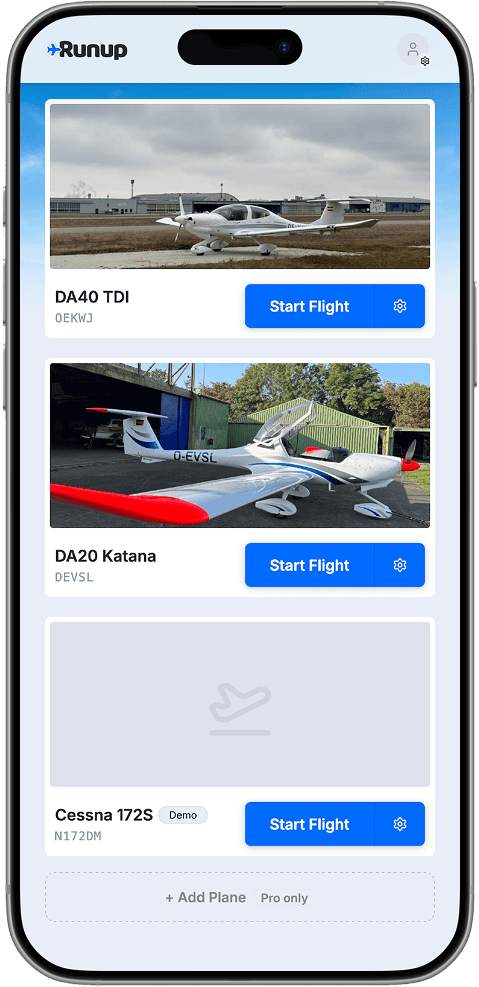
Every aircraft gets its own checklist. Add a tail number, a photo, and you'll never confuse the 172 with the Archer again.
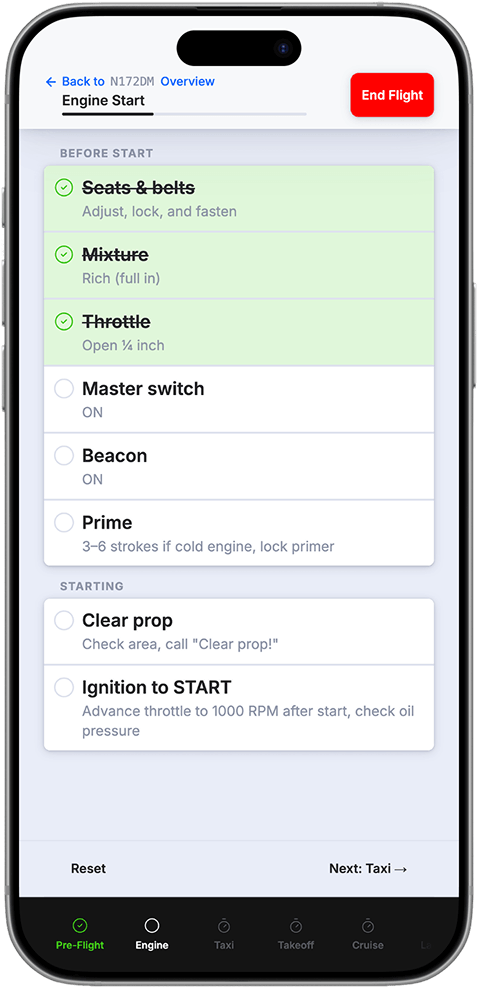
Every phase of the flight, in order. Pre-flight through shutdown, nothing skipped, nothing assumed.
Always in sync across your devices. Switch from phone to tablet mid-trip and everything is already there.
Free
$0
Free to start
Get startedPro
€10/mo
Billed monthly
Get startedNo App Store needed — install it straight from your browser in a few taps.
iPhone & iPad · Safari
Android · Chrome
The Free tier includes one aircraft plus a pre-loaded Cessna 172S demo checklist, with full offline access and cloud sync — no credit card required. Pro is €10/month and unlocks unlimited aircraft and CSV import.
Yes. Runup is offline-first: your checklists are stored on-device and always available, even at remote strips with no signal. Changes sync automatically when you're back online.
All ten standard phases: Pre-flight, Engine Start, Taxi, Before Takeoff, Takeoff, Climb, Cruise, Descent, Landing, and Shutdown.
Any aircraft you add by tail number. The Free tier supports one aircraft (plus the C172S demo). Pro unlocks unlimited aircraft.
Runup is a Progressive Web App (PWA), so it runs on any modern mobile browser — iPhone, iPad, Android phone or tablet. Cloud sync keeps your checklists identical across all your devices, so you can switch from phone to tablet mid-trip without missing a step.
No. Runup is a supplementary tool. You, as pilot-in-command, are always responsible for verifying checklist items against the official POH/AFM for your aircraft.